Chapter 28
Defining the first read rule

The next morning, Gary and Sam sat down before the store opened.
The question was no longer whether visibility should be restricted.
The question was how.
Gary folded his arms.
“Where do we start?”
Sam answered immediately.
“We start simple.”
Limiting the internal details
They had already identified that internal business notes should not be visible to Staff.
Sam opened the classification attached to the internal details table.
“We’ll attach a read rule here,” he said.
Gary watched carefully.
“You said read rules are attached to classifications.”
“Yes. And classifications are evaluated per row.”
Using a simple predicate
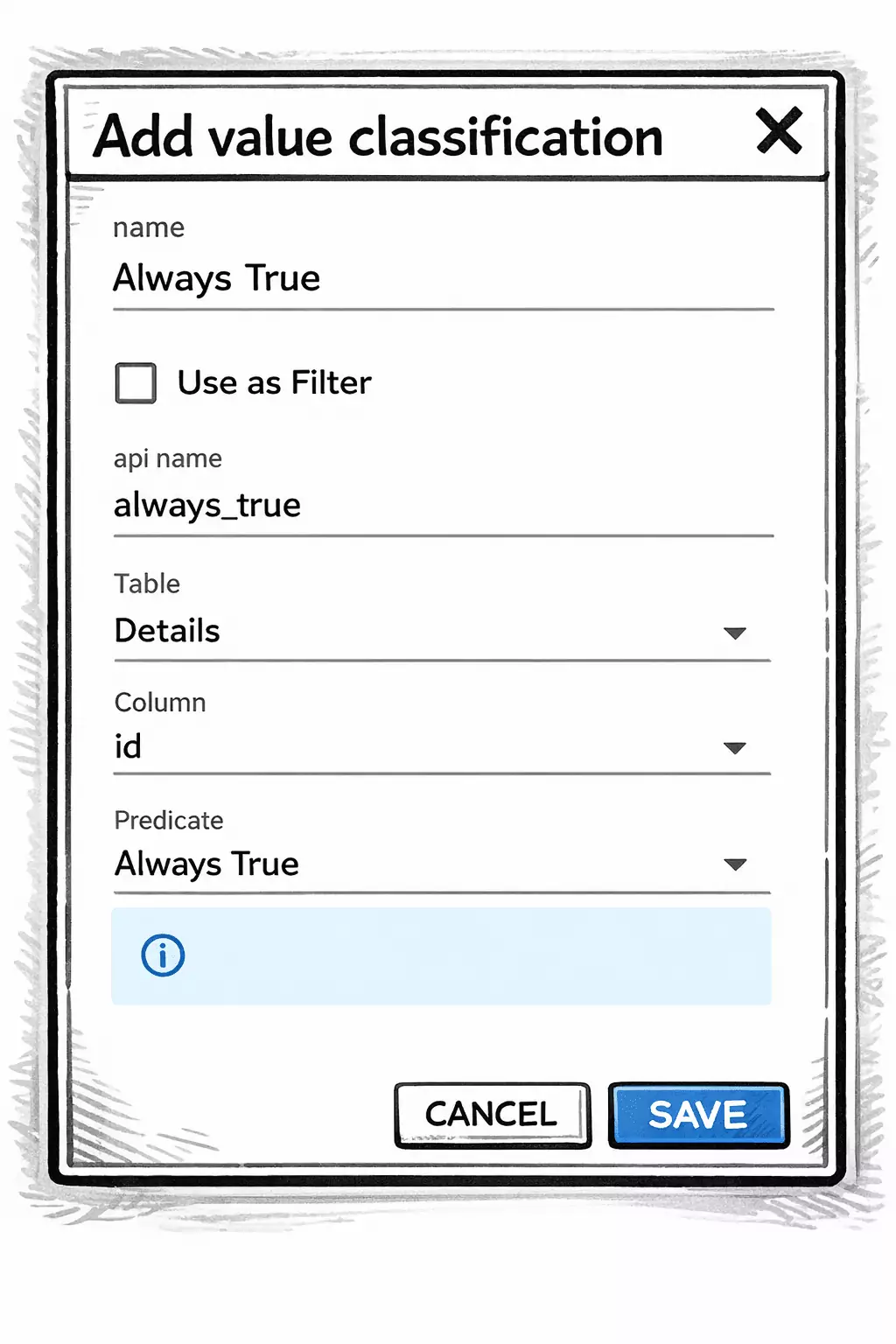
Sam created a value classification.
Name: Always True
Predicate: Is true
“This predicate is special,” Sam explained.
“It always evaluates to true for existing rows.”
Gary nodded.
“So we’re not filtering specific records.”
“Correct. We’re not segmenting rows yet.
We’re limiting visibility of the entire table.”
Sam looked at him.
“Later, you can create more advanced classifications.
But for now, we take the easy route.”
Attaching the read rule
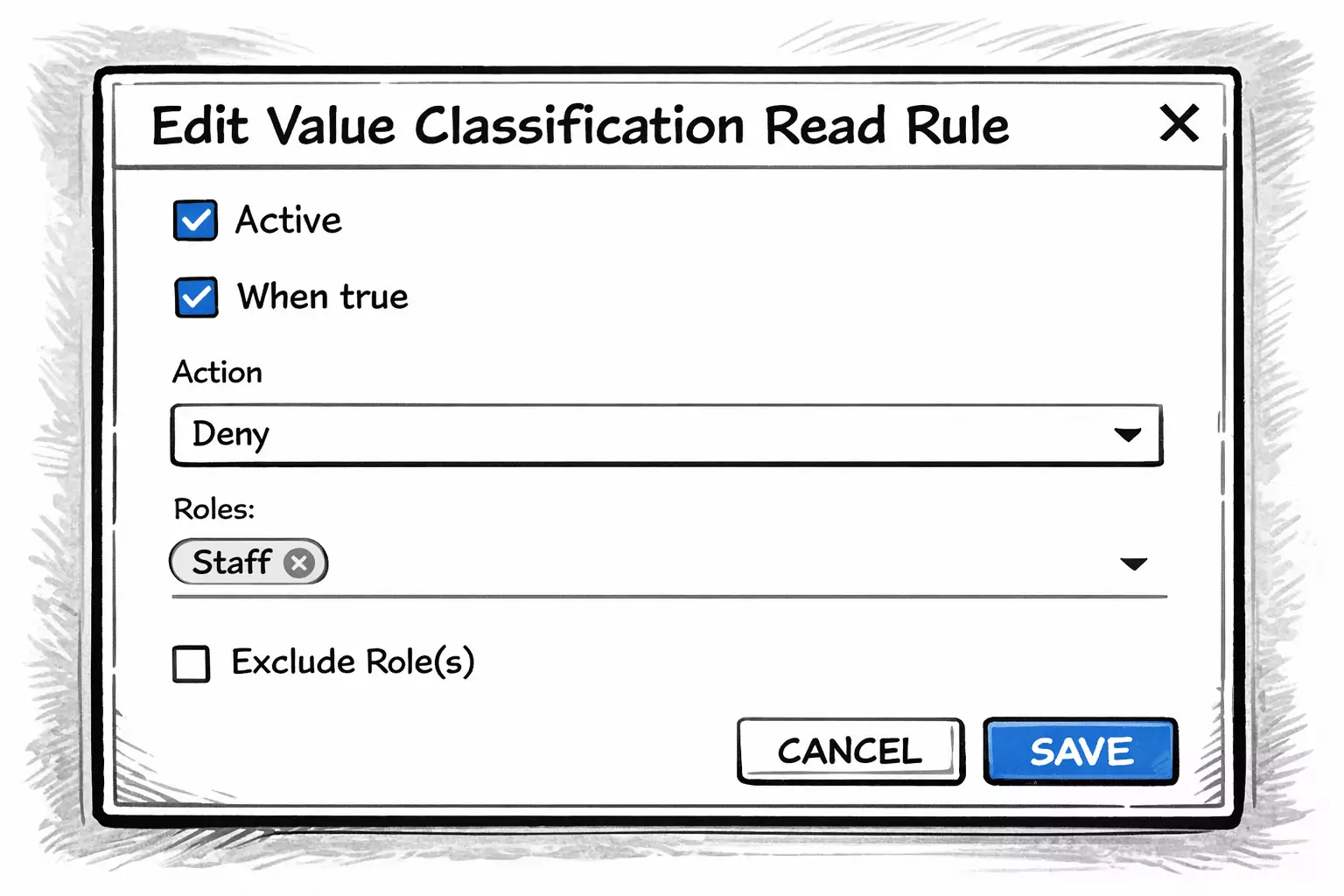
Sam opened the classification and chose:
Configure Read Rule
He explained each setting as he filled it in:
- Active — enabled
- When True — checked
- Action — Deny
- Roles — Staff
Gary leaned forward.
“So when the classification evaluates to true…”
“The rule applies,” Sam said.
“And since it always evaluates to true…”
“The rule applies to every row in that classification.”
Gary nodded.
“And because the action is Deny…”
“Staff cannot read those rows.”
Sam added one more clarification.
“If multiple read rules apply to a row,
deny always takes precedence.”
How read rules work
Sam summarized it clearly.
A read rule is attached to a classification.
When evaluated:
| Classification Result | When True | Rule Applies |
|---|---|---|
| true | checked | yes |
| false | unchecked | yes |
If the rule applies, it either:
- Allows access
- or Denies access
Deny always wins.
Gary sat back.
“So this one rule hides the entire internal details table from Staff.”
“Yes.”
“And Owners?”
“They are unaffected.
Because the rule targets Staff only.”
Role targeting
Sam pointed at the role configuration.
“You can scope a read rule in three ways:
- Apply to specific roles
- Exclude specific roles
- Apply globally if no roles are selected”
Gary considered that.
“So if I leave roles empty…”
“It applies to everyone.”
“And if I exclude Owner…”
“It applies to everyone except Owner.”
Gary nodded slowly.
“This is cleaner than I expected.”
First boundary defined
They saved the rule.
Sam asked Gary to log in as Staff.
The internal details were gone.
Same customers.
Same base information.
But the sensitive classification was no longer visible.
Gary exhaled.
“So we didn’t change the model.”
“No.”
“We refined visibility.”
Sam smiled.
“This is the beginning of governance.”
Continue reading
The internal notes were now protected.
But Gary had another question.
“If we can deny access entirely,” he said,
“can we also allow only specific segments of customers?”
Sam nodded.
“Yes. And that’s where classifications become powerful.”
In the next chapter, Gary moves beyond table-level restriction
and begins segmenting visibility based on business logic.