Create a table tag
Table tags are used to organize and group tables.
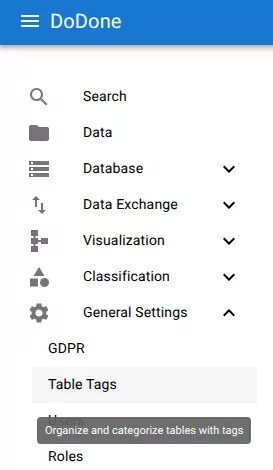
Open table tags
Navigate to:
General Settings → Table Tags
Create a tag
Click +.
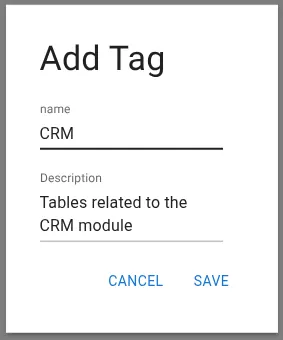
Configure the tag
Provide:
- Name
- Description
Example:
Click Save.
Related resources
Understand the concept