Create a mutation web hook
Mutation web hooks send HTTP requests to external systems when a mutation event occurs.
Before creating a web hook, the following must already exist:
- A mutation event
- An authentication configuration
Open the mutation web hooks view
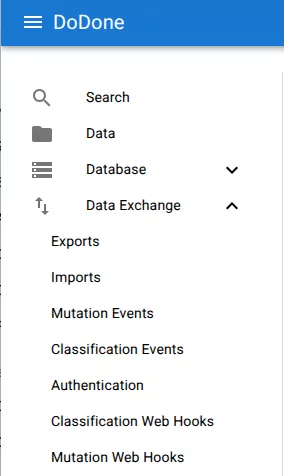
- Open the main navigation menu.
- Navigate to:
Data Exchange → Mutation Web Hooks
Create a new web hook
Click the + button.
Configure the web hook
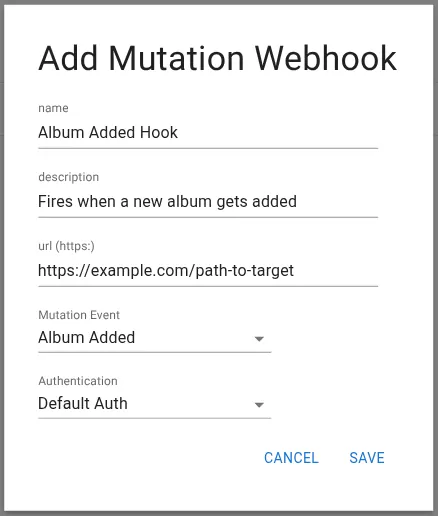
Fill in the configuration fields.
- Name – Name of the web hook.
- Description – Optional description.
- URL (https) – The endpoint that will receive the event.
- Mutation Event – The event that triggers the web hook.
- Authentication – Authentication configuration used when sending the request.
Example URL:
https://example.com/path-to-target
The URL must use HTTPS.
Save the web hook
Click Save.

Related resources
Understand the concept