Run an export
Exports generate files containing data from the system. An export is executed using the export Id.
The export runs using the currently logged-in user and respects all read rules. This means the exported data is filtered based on the user's permissions.
Exports must therefore be executed from a browser session where you are logged in.
1. Open the exports view
Open Data Exchange → Exports from the navigation menu.
Locate the export you want to run.

2. Copy the export Id
Each export has a unique Id shown in the exports list.
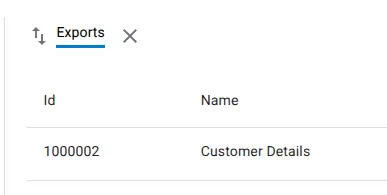
You will use this Id to run the export.
3. Run the export
Open the following URL in your browser:
Replace {id} with the Id from the exports list.
Example:
4. Download the generated file
When the URL is opened:
- The export is generated.
- Data is filtered using your read permissions.
- The file is returned as a download.
The format depends on the export configuration (CSV or XLSX).
Notes
- The export runs on demand. No files are stored on the server.
- The file is generated each time the endpoint is called.
- The exported data may differ between users depending on their permissions.
Related resources
Understand the concept